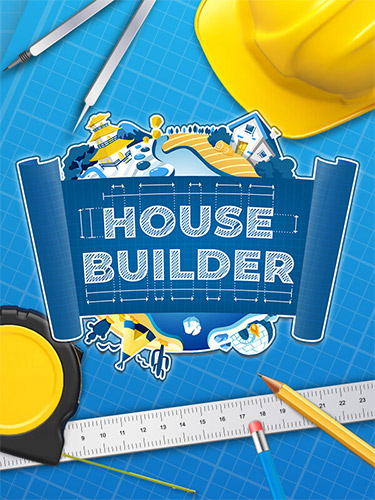
Become one man construction crew and build houses like a simple African mud hut and as complex as a super modern energy-saving architectural marvel.
Let us take you on a trip to various spots on the globe and experience true architectural variety. You will try to build a mud hut in Africa, an igloo in the Arctic, a Canadian house, a log cabin in Siberia, a traditional house made of bricks, airbricks, or concrete, and many, many more…
Every house consists of hundreds of elements you need to match according to the rules of construction.
Learn new technologies
See how construction technologies differ from each other. Learn how to apply proper materials and procedures during the building process.
Build houses brick by brick, element after element, down from the foundations and up to the roof.
Learn different structures of buildings, construction materials, their features, and their properties. Build simple constructions made of primitive materials, but also ultramodern buildings featuring the latest technological discoveries.
Use unique mechanics
Use various tools depending on the situation and requirements. Improve your skills, and use better equipment to be able to build complex structures quickly and efficiently.
Demolition
Sometimes there is no way out. Demolish everything in your path and start again!
ABOUT HOUSE BUILDER
The building is your hobby? Thanks to the House Builder you will become a one-man construction crew! Find a perfect piece of land and create something amazing there! Constructing is only limited by your imagination and bank balance… So control your resources, keep up with construction standards and raise buildings that everyone will love!
HOUSE BUILDER – MAIN FEATURES:
To build a first-class house, start with choosing the perfect location. You can select every place in the world! Boiling Africa, frosty Siberia, or tropical Amazon Rainforest? It’s up to you!
Next, let’s focus on the project – you can create different types of buildings – from miserable little sheds to exclusive mansions. This will depend also on the materials you will use. Each of them has different properties. Using the wrong material will cause unpleasant consequences. Prove your cleverness and knowledge to prevent any glitches in construction. Over time your skill will be better and buildings more advanced. When all the pieces are set, it only takes a moment to finish and give a unique look to your house. The buyers will be delighted!
Game Features
- Build all over the world – Learn more about the architectural style of the region and let your imagination run wild!
- Learn new technologies – With every building your skill improves and new technologies will expedite your work.
- Demolish! – Some of the houses must be cleaned up and rebuilt from scratches.
- Go back in time – Travel across many periods in history and try to build all iconic designs
- Diverse climate – scorching and freezing temperatures can be a challenge to sustain. Be aware of dangerous fauna.
Included DLCs:
- The Atomic Age
- Medieval
- Electric City Expansion Pack
- Garden
- Deconstruction
- Plumbing
- Mechitecture Edition
- Egyptian
- Tiny Houses
- Paving & Driveways






 Updates for the following games have been added today/yesterday.